

When I shared my post on the A2 About me choice board, I get lots of positive reaction and teachers saying that they were going to use it. I was delighted!
And then, I received feedback!
Elena Kaourani, who has a school in Cyprus (Elena Kaourani Learning Centre), sent me a screenshot of her online lesson. She was with a class of students aged 9-10.

And some great feedback too!
We did it as a Warm-Up activity. The kids asked me some questions and they were really interested to know my favourite things! Then they asked each other questions. I set a time limit – 8 minutes – in which we had to ask and answer as many questions as possible
They wanted to play more so we did it as an “exit ticket”: each student had to answer a question before they “left” zoom !
Thank you so much Elena (and pass my thanks on to your students please too).
After the feedback from Elena, I also received some feedback from Elsa Canário, who teaches in the north of Portugal. You read a post with some ideas for A1 Movers Reading and Writing Part 6 that I shared just a short while ago.
Here is how Elsa adapted the activity for her group:
A2 Choiceboard for About me
Age group : 11-13
Instead of screen sharing with my students, they were sent the pdf the previous day.
So how did I use it?
1-There was a slight variation here. I asked them to choose one question. Then they asked that question to a classmate of their choice.
2- Then the chosen one had to ask his/her question to another classmate.
3- I decided to split them up in pairs into breakout rooms to give them time to write all the answers in the boxes.
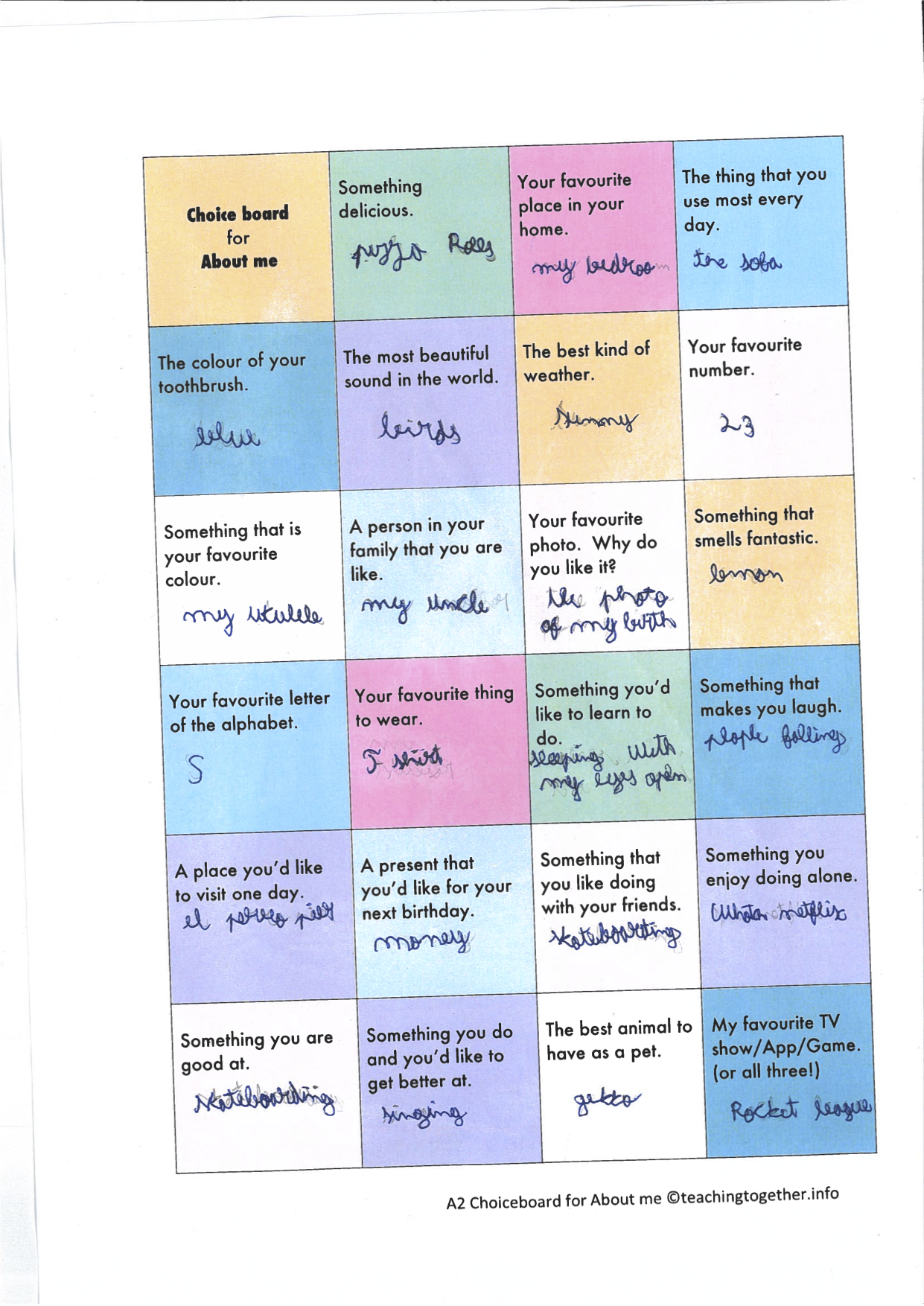
4-Back in the main room, I asked a few students their answers for some of the boxes.
5- Finally, I was asked three questions from the boxes
Something delicious- Chocolate
Something you enjoy doing alone– singing
Your favourite number- 9
The kids had lots of fun and came up with interesting answers!
Thank you so much for this activity Anne .
Thank you Elsa for the feedback!
If you want to try this choice board out with your students, read my post where I shared it and some tips for using it.